This video couldn’t be loaded.
Reveal your brand through movement
Guide the shapes, light and pacing of a logo reveal, then hold the final wordmark and tagline.
Animate your brand, interface and ideas with Claude.
Direct the look and movement in Tellcut Studio.
Explore logo reveals, UI animations and visual explainers. Switch between complete examples to see how composition, timing and movement bring a message to life.
This video couldn’t be loaded.
Guide the shapes, light and pacing of a logo reveal, then hold the final wordmark and tagline.
Define what should appear, how it should move and the look you want. Build a first version in Studio, then refine its composition and timing through chat.
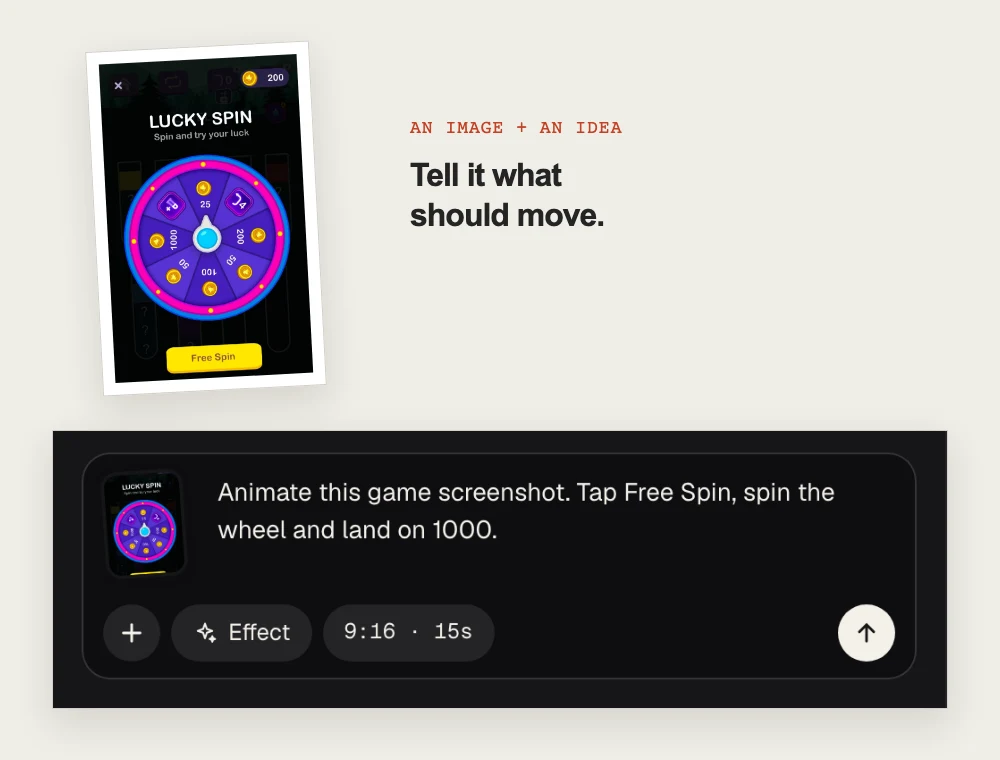
Write a brief or upload an image and say what should move. Choose an effect, aspect ratio and duration to shape the first version.
“Tap Free Spin, spin the wheel and land on 1000.”
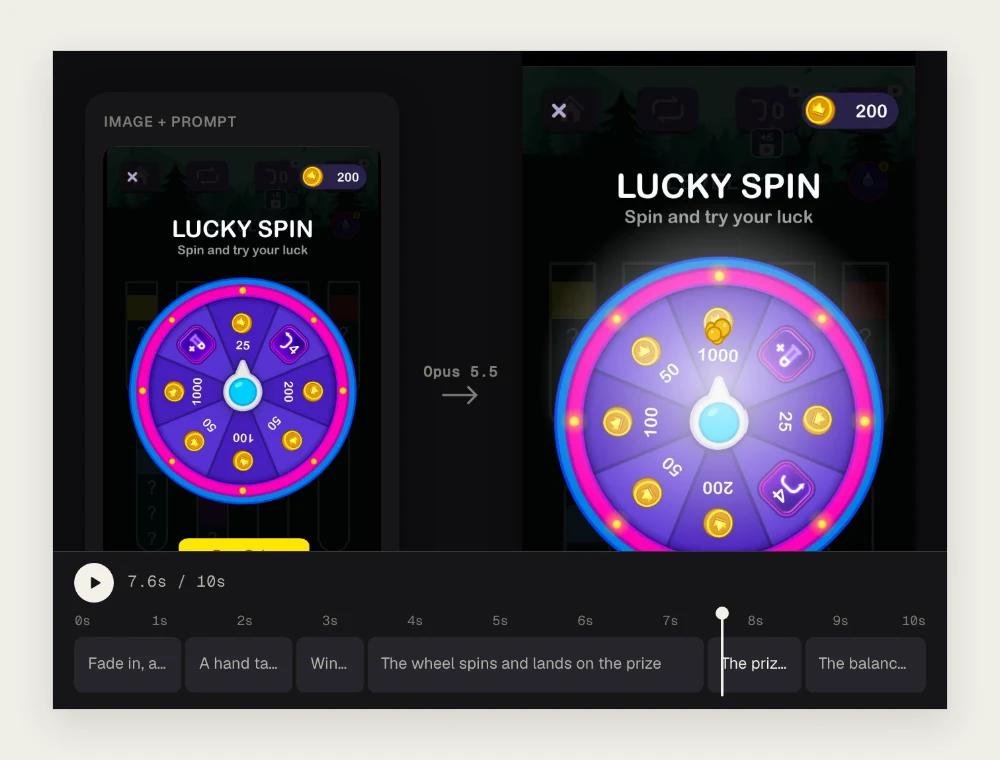
Tellcut plans the shots and builds your animation. Play the preview, scrub through the timeline and check how each part moves.
Watch the button press, the spin and the prize reveal.
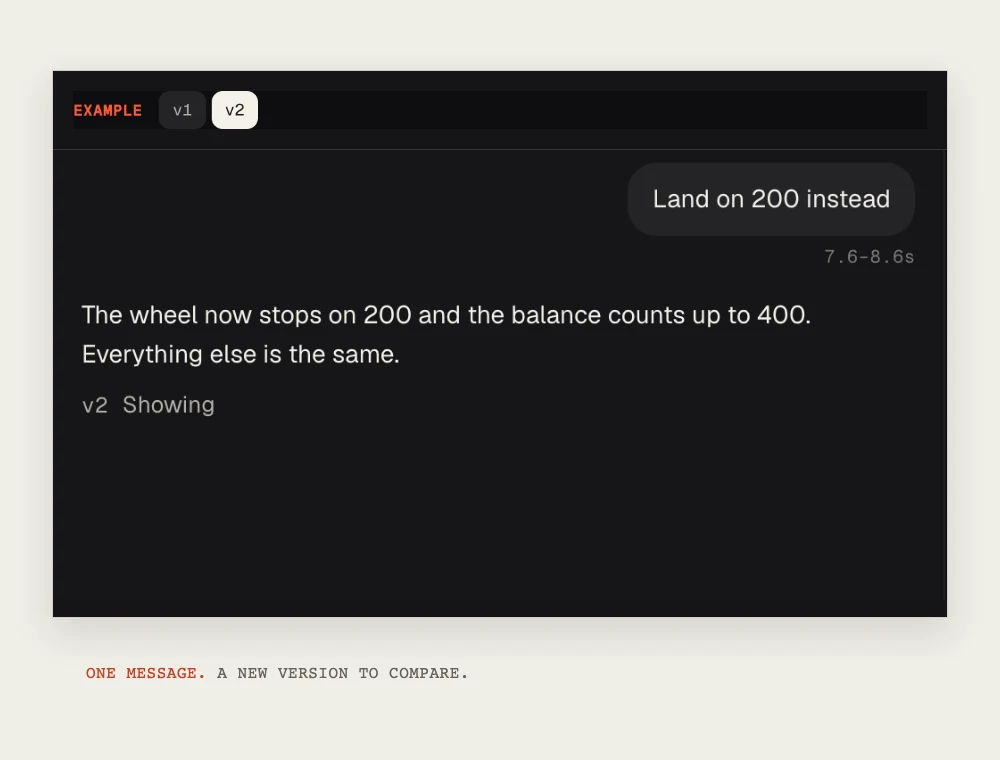
Describe a change or select a shot to focus your edit. Compare saved versions, then download the finished video as a 1080p MP4.
“Land on 200 instead.” Keep refining from there.
Motion design takes shape through revisions. Use the Lucky Spin walkthrough to see how a clear direction becomes animation, and how a follow-up request changes the result.
“Tap Free Spin, spin the wheel and land on 1000.”
Specify what moves, the sequence it follows and where it should finish.
“Land on 200 instead.”
Check the new result against your direction, then compare versions as you refine the animation.
Start with a logo reveal, an interface sequence or an animated explanation. Each brief describes a visual progression you can adapt with your own words, images and direction in Studio.
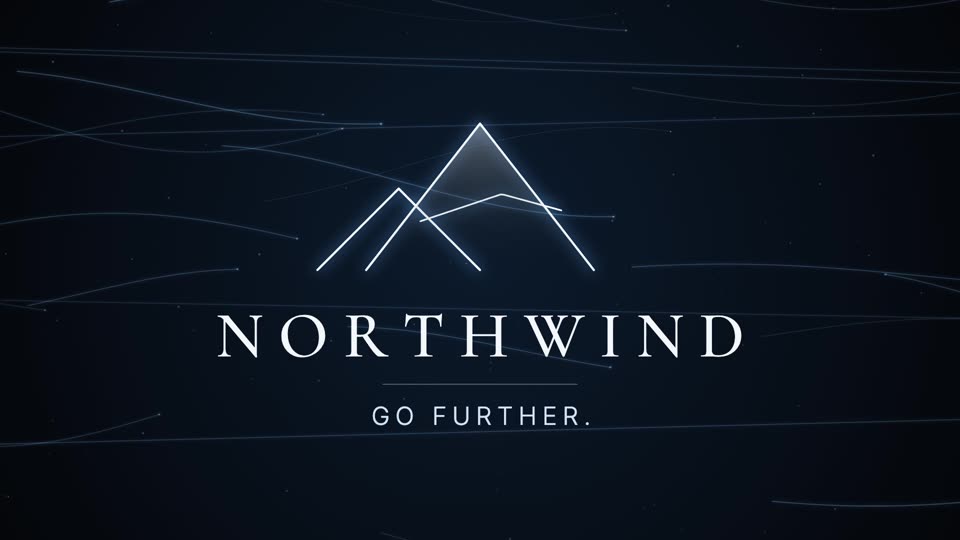
An abstract build-up that resolves into your wordmark.
A logo reveal for Northwind, an outdoor gear brand: thin lines of light sweep across a dark background like wind, gather into a mountain peak mark, and the wordmark NORTHWIND resolves under it with the tagline "Go further."
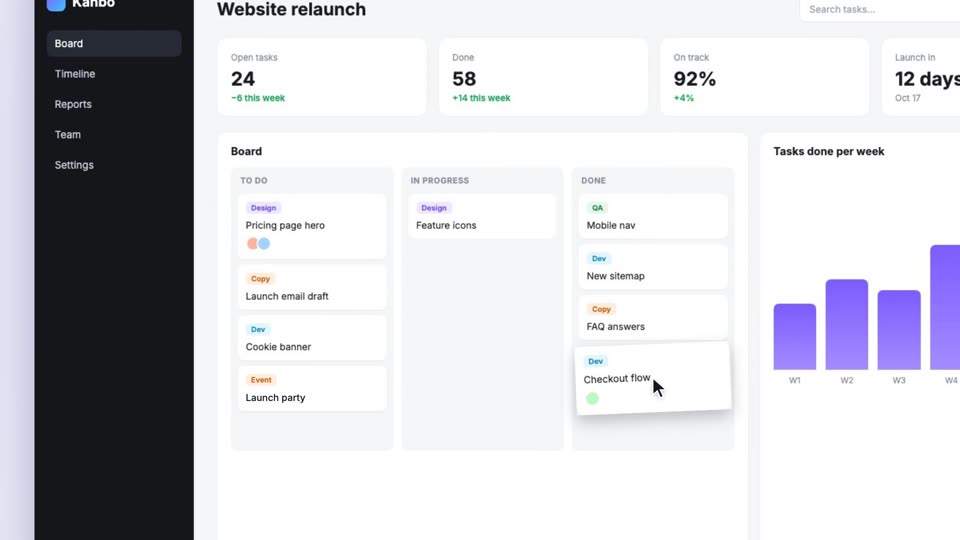
A cursor clicks through your app's screenshot.
A product walkthrough of this dashboard: a cursor clicks "+ New task", a new card "Launch party" drops into the To do column, then the cursor drags "Checkout flow" to Done, the Done count goes from 58 to 59 and the last bar of the chart grows. End with a caption "Kanbo. Ship projects on time."
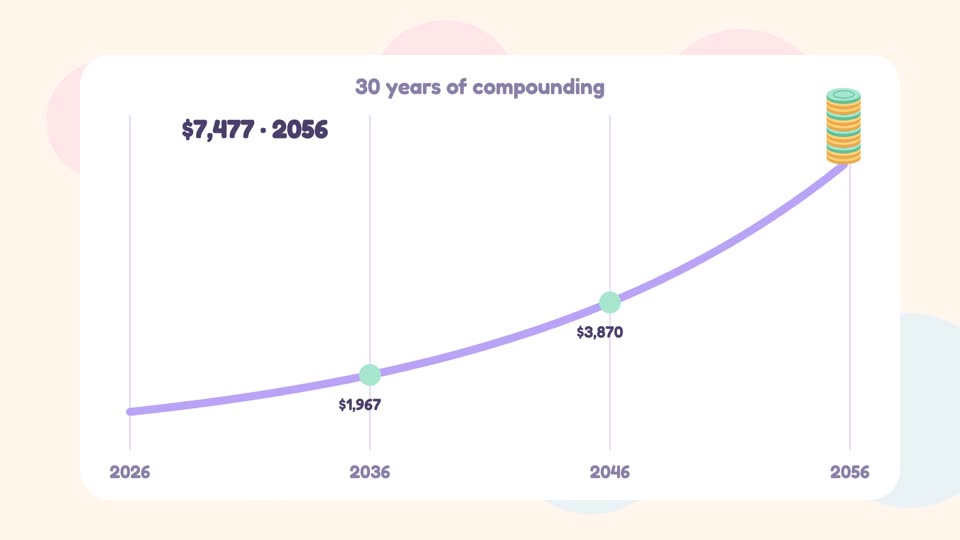
A concept in clear, animated steps.
An explainer of compound interest in three steps: $1,000 saved, it earns 7% a year, and the interest itself starts earning. Show a small coin stack that grows faster and faster on a curve over 30 years to about $7,600. End: "Start early. Let time do the work."
Creating with Claude
Claude motion graphics are animations of text, shapes, charts, logos and images created with Claude’s help. Claude writes animation code, and a rendering tool turns it into a playable video. Tellcut brings the process into one browser workspace, currently using Claude Opus 5.5. Learn more about the model on our Claude Opus 5.5 video page.
Open Tellcut Studio and describe your message, visual style and the sequence you want to show. Add screenshots or images when useful, choose a length and format, then generate a first version. Review the animation, request changes in chat and export your MP4. You can follow the Claude motion graphics tutorial for a complete walkthrough.
You can create product launch videos, app presentations, kinetic typography, logo reveals, animated charts, social ads and short explainers. Start with a written idea or use your own screenshots and images. Tellcut focuses on designed graphics and image animation; live-action scenes, natural human movement and audio production require other tools.
Tellcut is an AI motion graphics generator that puts Claude-powered creation and video editing in the same workspace. You get templates, effect previews, image inputs, shot selection, saved versions and MP4 export alongside your conversation. This lets you work through a creative brief and its revisions using dedicated video controls. Tellcut is an independent product and does not require a separate Claude subscription or personal API key.
Creating videos and requesting AI edits in Tellcut require a paid plan and use plan credits. You can browse examples, preview templates and effects, and explore the Studio example before subscribing. Monthly and yearly billing options are available. Visit Tellcut pricing for current prices, credit allowances and billing details.
Start with the briefs and matching animation examples in our Claude motion graphics prompt library. A useful prompt specifies the message, exact text or figures, visual sequence, style and final frame. If you prefer an existing composition, browse the motion graphics templates and adapt one in Studio.
Describe the revision in chat, such as changing a headline, slowing a reveal or adjusting the ending. Select a shot to focus a request on one part of the animation. Tellcut saves generated revisions as versions, so you can compare the results and return to an earlier version. Preview each change before exporting.
Claude adds a conversational way to build and revise an animation: you describe the result you want, and it writes or changes the animation code. Traditional motion design workflows typically involve directly arranging elements and controlling their timing and movement in an editor. Both rely on clear creative direction. Tellcut is useful when you want to guide short motion graphics through a brief and chat-based revisions.
Yes. In Tellcut, you can start with your own description and images, then guide the animation through conversation. You do not need to write code or choose a template first. Templates and example prompts are optional starting points when you want help with composition or pacing. Video generation still requires a paid plan and sufficient credits.
Choose a tool based on the visuals you need, how you want to make revisions and the format you must deliver. Compare image inputs, scene editing, version history, export options and pricing. Tellcut is designed for short motion graphics with chat-based revisions and 1080p MP4 export. It supports 10-, 15- and 30-second videos in landscape, vertical and square formats. A local coding workflow may fit better when maintaining the animation source project is a priority.
Start with a prompt. Keep shaping it until it feels like yours.