Claude Code can write and revise a local animation project. Remotion gives that project a timeline, preview, and renderer. The useful connection is a source file you can edit, a frame you can inspect, and an MP4 you can reproduce from the same code.
Start with Daylight, a sample 15-second title sequence. It has an opening line, a product introduction, and an end card. The layout stays simple so the timing is easy to follow: each scene takes 18 frames to enter, then holds its text.
1. Start with a project that has an export path
You need Node.js, npm, and access to Claude Code. Check the local tools:
node --version
npm --version
Install Claude Code using the official setup instructions for your operating system. On macOS with Homebrew:
brew install --cask claude-code
claude --version
A Claude subscription that includes Code, a Console account, or an appropriate provider setup supplies model access. Install the command first, then complete its sign-in flow when you start a session.
Download the Daylight starter project and extract it. The package includes the three source files shown here, scripts, and a lockfile. It pins remotion and @remotion/cli to 4.0.539; keep those packages on the same version when changing dependencies.
From the extracted project directory:
cd daylight-motion
npm ci
npm run check
npm run dev
Open the Studio address printed in the terminal. Select DaylightIntro from the composition list. Leave that server running and open a second terminal in the same directory:
claudeIf you prefer a new blank project, the Remotion coding-agent setup starts with npx create-video@latest --yes --blank daylight-motion. Add the source files below to that scaffold, keeping its existing entry-point conventions. Use npx remotion skills add in a Remotion project to give the agent framework-specific guidance.
Before asking for changes, have Claude inspect the actual files:
Inspect this Remotion project. Identify the entry point, registered
compositions, installed Remotion version, and preview/render commands.
Explain which files control DaylightIntro. Do not change files yet.
This catches a common source of wasted revisions: changing a component that the active root never registers.
2. Set the timing in frames
Daylight uses 1920 × 1080, 30 fps, and 450 frames. At 30 fps, 450 frames make 15 seconds. The first frame is zero, so the last frame is 449.
| Scene | Global frame range | Exact text | Entrance complete |
|---|---|---|---|
| Opening | 0 to 119 | “Too much to do?” | Frame 18 |
| Product | 120 to 299 | “Meet Daylight.” | Frame 138 |
| End card | 300 to 449 | “Make room for what matters.” | Frame 318 |
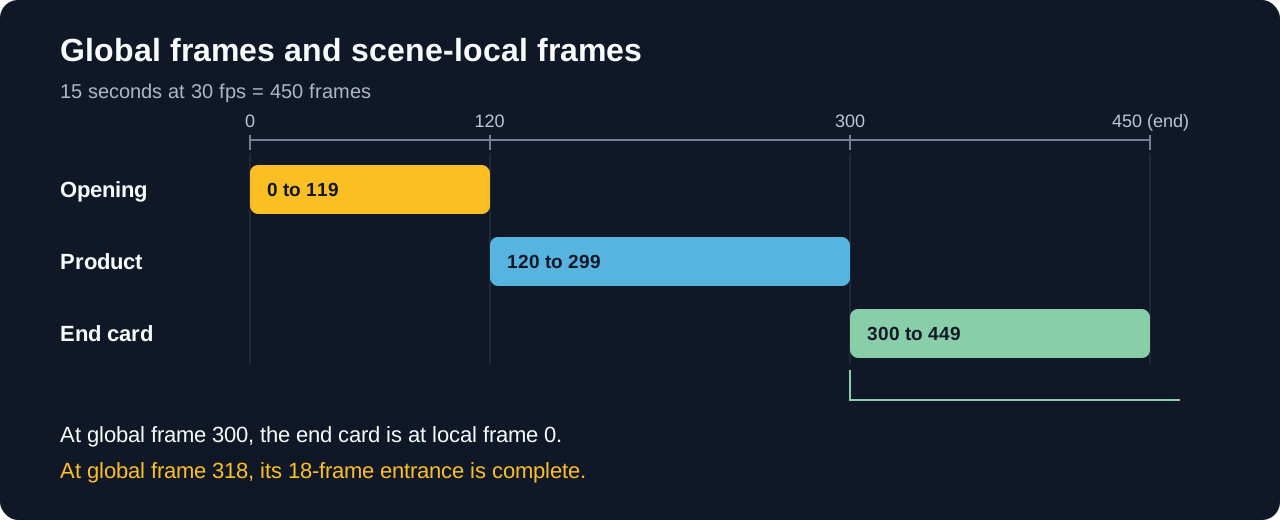 The end card starts at global frame 300. Eighteen frames later, its entrance is complete.
Inside a Sequence, useCurrentFrame() returns a frame relative to that sequence. At global frame 138, the product scene sees local frame 18. That lets the same entrance animation work in every scene without subtracting a different offset inside the component.
Give Claude Code the content and timing together:
Create a composition named DaylightIntro, 1920x1080, 30 fps, 450 frames.
Use these exact lines:
- Frames 0-119: "Too much to do?"
- Frames 120-299: "Meet Daylight."
- Frames 300-449: "Make room for what matters." with a Daylight label.

Use background #101827, text #F8FAFC, accent #FBBF24.
Derive entrances from the current frame. Settle each entrance after
18 local frames, then hold. Keep the content and palette in named values.
Use text and shapes only. Register the composition and provide its
preview and render commands.
Keep the first version small enough that you can understand its timing. Add screenshots, charts, and audio after the project has a working render path.
3. Add a component that draws from the current frame
Save this as src/DaylightIntro.tsx:
import {
  AbsoluteFill,
  interpolate,
  Sequence,
  useCurrentFrame,
} from "remotion";

const palette = {
  background: "#101827",
  text: "#F8FAFC",
  accent: "#FBBF24",
};

type SceneProps = {
  headline: string;
  label?: string;
};

const Scene = ({ headline, label }: SceneProps) => {
  const frame = useCurrentFrame();
  const progress = interpolate(frame, [0, 18], [0, 1], {
    extrapolateLeft: "clamp",
    extrapolateRight: "clamp",
  });

  return (
    <AbsoluteFill
      style={{
        justifyContent: "center",
        padding: 120,
        backgroundColor: palette.background,
        color: palette.text,
        fontFamily: "Arial, sans-serif",
      }}
    >
      <div
        style={{
          width: 96,
          height: 8,
          marginBottom: 40,
          backgroundColor: palette.accent,
          transform: `scaleX(${progress})`,
          transformOrigin: "left",
        }}
      />
      <div
        style={{
          maxWidth: 1500,
          fontSize: 112,
          fontWeight: 700,
          lineHeight: 1.08,
          letterSpacing: -3,
          opacity: progress,
          transform: `translateY(${(1 - progress) * 36}px)`,
        }}
      >
        {headline}
      </div>
      {label && (
        <div
          style={{
            marginTop: 40,
            fontSize: 38,
            color: palette.accent,
            opacity: progress,
          }}
        >
          {label}
        </div>
      )}
    </AbsoluteFill>
  );
};

export const DaylightIntro = () => (
  <AbsoluteFill style={{ backgroundColor: palette.background }}>
    <Sequence from={0} durationInFrames={120}>
      <Scene headline="Too much to do?" />
    </Sequence>
    <Sequence from={120} durationInFrames={180}>
      <Scene headline="Meet Daylight." />
    </Sequence>
    <Sequence from={300} durationInFrames={150}>
      <Scene headline="Make room for what matters." label="Daylight" />
    </Sequence>
  </AbsoluteFill>
);
The entrance changes opacity and vertical position with progress. Its interpolation reaches 1 at local frame 18. Clamping the value keeps it there for the rest of the scene, so the text stops moving.
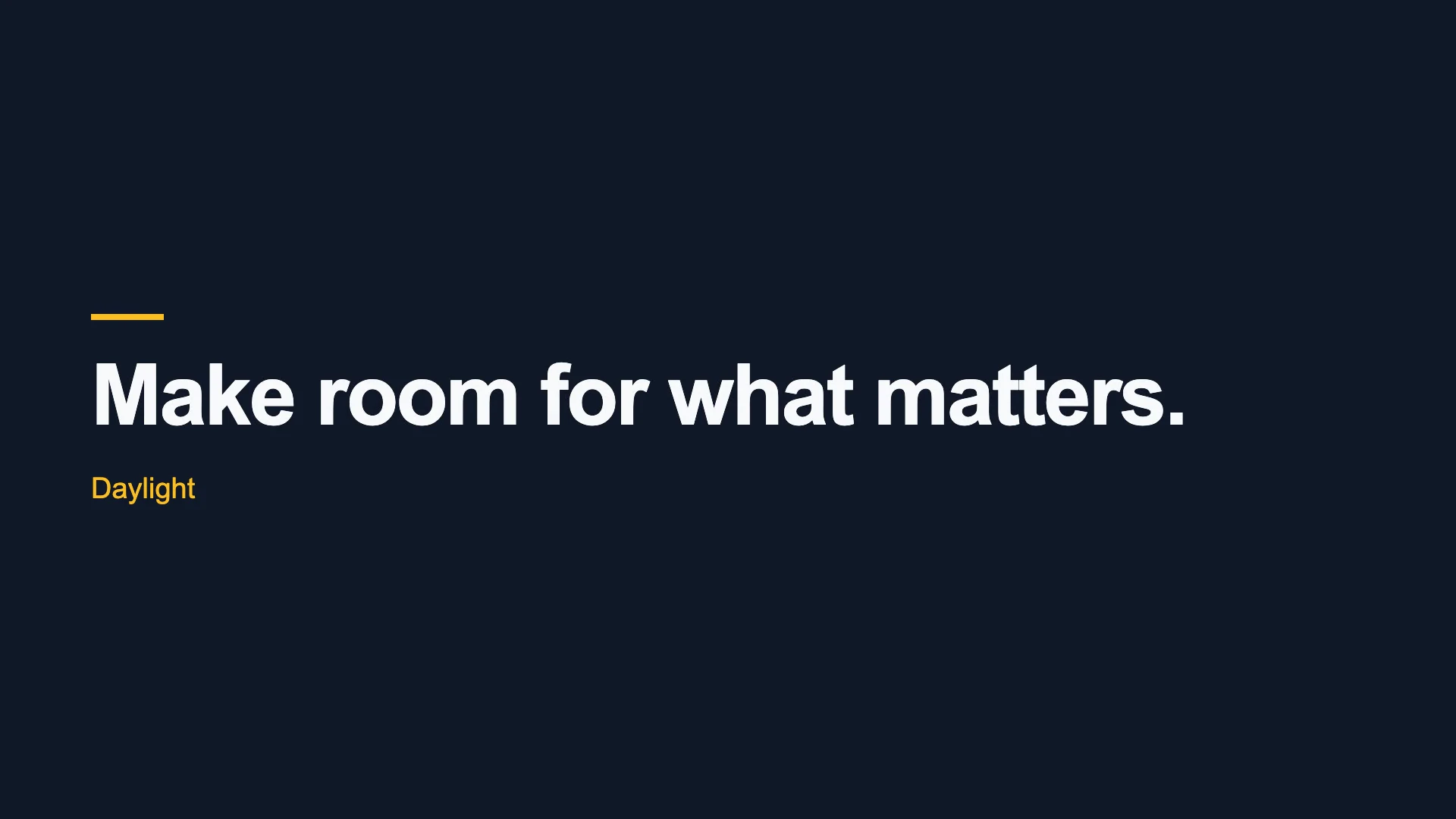
At frame 18, the opening is fully visible:
 Frame 18, or 0.6 seconds. The entrance has settled and the headline holds.
Register the composition in src/Root.tsx:
import { Composition } from "remotion";
import { DaylightIntro } from "./DaylightIntro";

export const RemotionRoot = () => (
  <Composition
    id="DaylightIntro"
    component={DaylightIntro}
    width={1920}
    height={1080}
    fps={30}
    durationInFrames={450}
  />
);
A Composition connects the React component with its dimensions, frame rate, and duration. Keep the ID DaylightIntro consistent with the commands you use to render it.
The entry point, src/index.ts, registers that root:
import { registerRoot } from "remotion";
import { RemotionRoot } from "./Root";

registerRoot(RemotionRoot);
If your scaffold already has a registered root, add the composition there. Preserve unrelated compositions. A duplicate root or an unimported component creates a project that contains the right-looking code but never selects it for rendering.
4. Inspect scene boundaries, then inspect reading time
In Studio, scrub across frames 119 to 138. The opening ends at 119, the product scene starts at 120, and the new line settles at 138:
 Global frame 138 is local frame 18 for the product scene. It uses the same entrance as the opening.
Check the end-card boundary the same way: 299, 300, then 318. In this component, progress is zero at local frame zero. Frames 0, 120, and 300 therefore show the background at the start of each entrance. If you inspect only those three frames, the animation can look empty even though the text appears immediately afterward.
That is a design choice you can change. For a video that needs visible text on its first frame, ask for a static opening headline or a nonzero starting opacity. Keep frame 18 as a useful checkpoint for the settled layout.
Render the final frame independently with the still command:
npx remotion still src/index.ts DaylightIntro out/end-card.png --frame=449Inspect the longest line and the product label in out/end-card.png. Then watch the animation at normal speed. A clear still proves the layout is readable at that moment; playback tells you whether the viewer gets time to read it.
This version settles the end card at 10.6 seconds and holds it through the ending. If you add more copy, account for the time it spends entering before judging the available reading time.
5. Ask Claude Code for a change you can verify
A precise revision identifies the property or interval to change and the decisions to preserve. To slow the entrances:
Change the Scene entrance from 18 to 24 local frames. Keep the same
scene boundaries, exact copy, palette, composition ID, and 450-frame
duration. Update the checkpoint notes to match the new entrance length.
Show the source diff and provide the render command.
After that edit, the fully settled checkpoints become frames 24, 144, and 324. The scene boundaries stay at 0, 120, and 300. Check both sets of numbers; changing an entrance duration does not require shifting the scene itself.
For a typography change, keep the task narrower:
Change only the end-card headline size so its longest line fits within
the existing padding. Keep the wording exact. Preserve the product
label, scene timing, and composition settings.
Keep the animation state tied to the current frame. Timers, wall-clock values such as Date.now(), and fresh random values on every render can make a requested frame depend on what happened before it. A frame-based calculation gives the renderer a defined picture for each point in the timeline.
Store recurring project instructions in CLAUDE.md:
Derive animation state from the current frame.
Keep approved copy exact and preserve composition IDs.
Separate content and palette values from motion calculations.
Keep Remotion packages compatible and preserve the lockfile.
For each change, identify the affected frames and the render command.
The sample uses Arial through a system font stack. For consistent branding across machines, bundle and load the intended typeface using Remotion’s font-loading tools, then check the line breaks again.
6. Render the MP4 from the same composition
From the project directory:
npx remotion render src/index.ts DaylightIntro out/daylight-intro.mp4 --codec=h264 --pixel-format=yuv420pThe render command takes an entry point, composition ID, and output path. The sample’s package also exposes it as npm run render. The first render can download the headless browser Remotion uses for capture; allow that setup to complete before diagnosing an animation problem.
Open out/daylight-intro.mp4 in a normal video player. Check the 1920 × 1080 frame, 15-second duration, all three copy lines, and the closing hold. Keep the final video inspection separate from the Studio preview: the MP4 is the file you will deliver.
If the result fails, start at the stage that owns the problem:
| Symptom | Check first | Next action |
|---|---|---|
| Composition is missing | Entry point, root registration, and ID | Register the imported component and use its exact ID |
| A later scene skips its entrance | Sequence-local timing | Remove an unnecessary global-frame offset |
| Text wraps differently on another machine | Font availability and loading | Bundle the intended font and inspect the layout again |
| Preview moves but export does not match | Timers, wall-clock state, or random values | Calculate the visual state from the frame |
| Duration is wrong | fps and durationInFrames |
Correct the selected composition settings |
7. Keep a reproducible handoff
Save the source, lockfile, assets, and render command together. Use npm ci when installing that locked project on another machine. Keep generated output and node_modules outside the handoff archive; the starter download follows that layout.
Once the title sequence works, add one real production requirement at a time. A screenshot adds asset loading and cropping. A chart adds data and scale choices. Narration adds reading and listening time. Preserve the working timeline and export path as you introduce each one.
For planning a fuller piece before writing code, use the Claude motion graphics tutorial. For a screenshot workflow with browser controls, use the no-code tutorial.
Prefer to work in a browser?
Bring your creative brief into Tellcut and refine the video through conversation.