Change the message
Revise a headline, update a number or replace the final call to action. Tell Tellcut the exact words you want on screen.
“Change the closing headline to ‘Meet your new workspace.’”
Edit motion graphics with Claude
Change the headline. Slow the reveal. Rework a scene.
Refine your Tellcut motion video with a sentence.
Watch a screenshot become an animation, then change the result in chat.
See the edit happen
Before the edit, Lucky Spin lands on 1000 and the balance reaches 1200. After “Land on 200 instead,” the prize is 200 and the balance reaches 400. The opening, button tap, wind-up and 10-second duration stay the same. Try the edit below to compare both versions.
Try a sample edit
One sentence changes where the wheel lands. Switch between the two versions to see the result.
“Land on 200 instead”
Original: the wheel lands on 1000 and the balance counts up to 1200.
Explore the example in Studio Loading preview…
Direct the revision
Give each request a clear subject and an outcome. Here are edits to try on your own motion video.
Revise a headline, update a number or replace the final call to action. Tell Tellcut the exact words you want on screen.
“Change the closing headline to ‘Meet your new workspace.’”
Slow down a reveal, hold a detailed screen longer or give the ending more time to read. Watch the revision to check the pace.
“Make the chart reveal slower and hold the result for two seconds.”
Select a shot on the timeline and describe the change for that part. Review it alongside the surrounding scenes before exporting.
“In this shot, zoom closer to the chart and soften the highlight.”
Ask for a different accent color, a quieter transition or more space around the text. Use your own images to guide the composition.
“Use a coral accent and make the title a little smaller.”
From first cut to final version
Open a video you made in Tellcut, or choose a template and make your own copy. Play it through and decide what needs to change.
Choose a templateWrite a revision in the chat. Select a shot for a focused edit, and include the exact text, timing or movement you want.
Try the Studio examplePlay the updated version, compare it with the original and return to an earlier version if you prefer. Export your finished video as a 1080p MP4.
See plans and creditsReview before you export
Keep the preview beside the chat as you work. Scrub to the moment that needs attention, select its shot and describe the revision. Compare the result before deciding which version to keep.
Open the editing workspace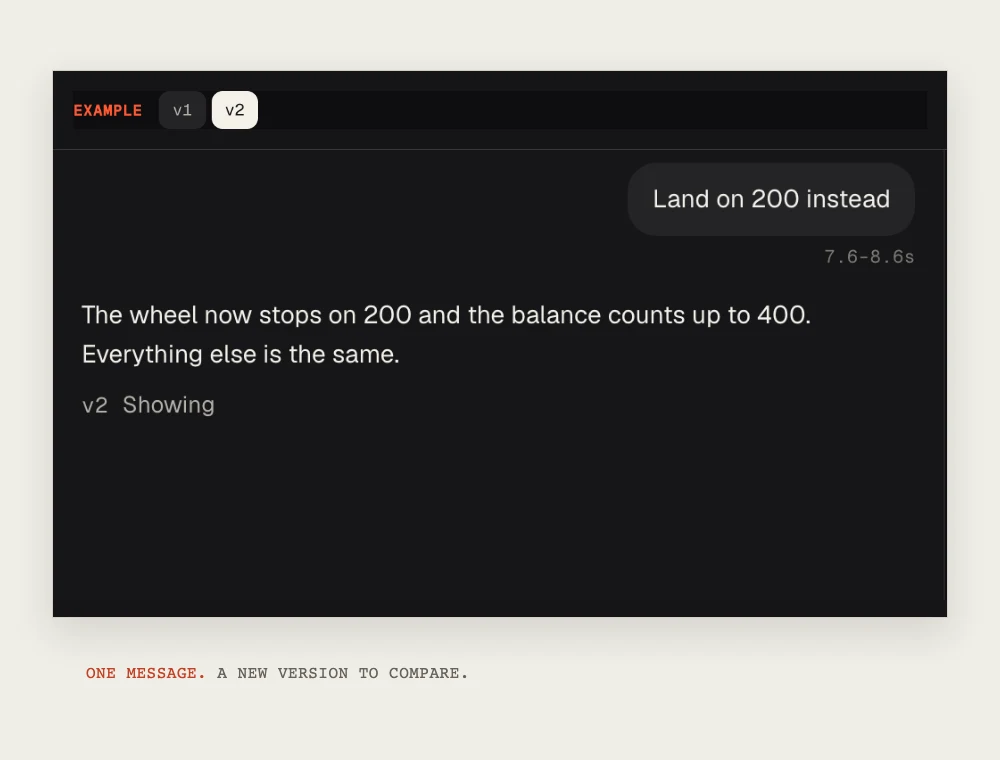
Before you start
Tellcut uses Claude to create and revise short motion graphics. You describe an edit in chat, and Claude changes the animation in your project. The workspace combines a video preview, a shot timeline and saved versions. Tellcut currently uses Claude Opus 5.5.
Open a Tellcut project, play the preview and describe what should change. For a focused revision, select a shot on the timeline before sending your request. Review the result and compare saved versions before exporting. You can try the prepared Studio example to explore the workflow.
Tellcut’s chat editor works with motion videos created in Tellcut. You can upload images and screenshots as source assets, but importing an existing MP4 for timeline editing is not supported. To start from an app screen or design, use screenshot to video.
Ask for changes to generated text, colors, layout, animation, scene timing or the ending. You can also direct movement and highlights around your images. Text embedded in an uploaded screenshot remains part of the image; it is not a separate editable text layer.
Select a shot on the timeline to focus your request, and describe what should change and what should stay. In the Lucky Spin example, changing the prize from 1000 to 200 also updates the final balance from 1200 to 400. The opening, button tap and wind-up in the first three seconds stay the same, as does the 10-second duration. Preview the full revision and compare saved versions to check your own edit.
Name the shot or element, describe the change and give any exact text or timing. For example: ‘In the final shot, replace the headline with “Launch day is here” and hold it for two seconds.’ Keep each request focused so you can judge the result in the preview before making the next edit.
Yes. Choose a motion graphics template and open your own copy in Tellcut Studio. Use Claude to adapt its text, colors, images and animation to your message. Templates cover product walkthroughs, app launches, social ads, logo reveals and animated charts.
You can guide the video through a brief and chat revisions without writing code. Tellcut is an independent product with its own plans and credits. You do not need a separate Claude subscription or a personal API key.
You can explore the prepared example, browse templates and preview effects before subscribing. Creating your own videos and requesting AI edits require a paid Tellcut plan and use plan credits. See pricing for current allowances and billing options.
Tellcut supports 10-, 15- and 30-second motion videos in landscape 16:9, portrait 9:16 and square 1:1. Paid plans include 1080p MP4 exports without a watermark. Videos are currently silent; you can add music or voiceover to the exported file in another editor.
Create a motion video in Tellcut. Shape the details with Claude.